Kit
A kit bundles a folder and all the assets inside it (workbooks, tables, pages, workflows, and more) into a single work package. Importing a kit clones the folder and its assets wholesale, so you can start working right away instead of building everything from scratch.
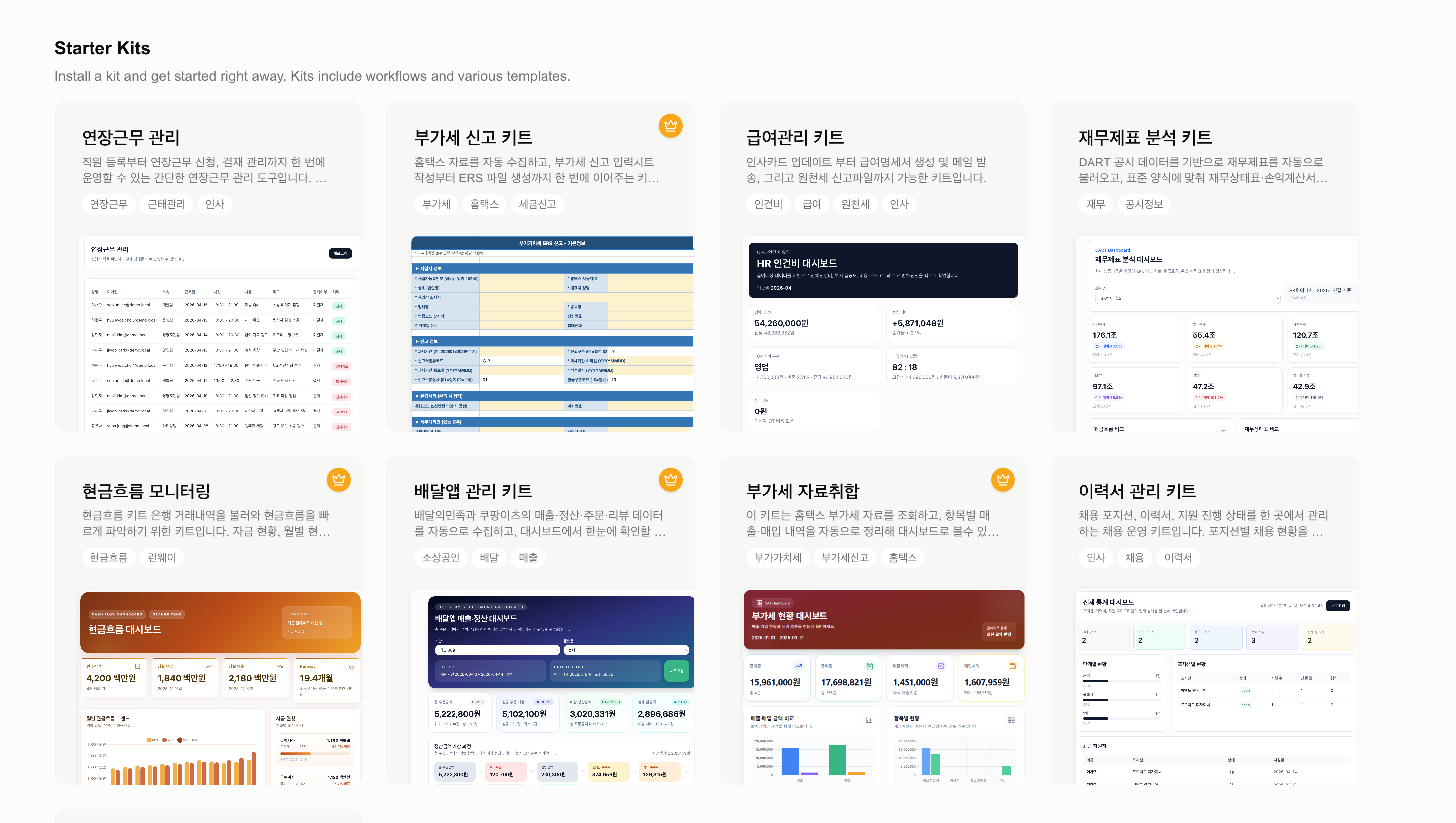
Easy to confuse with a workflow. A workflow is a single saved sequence of tool calls the agent runs in order. A kit bundles a whole folder and everything in it (workbooks, tables, pages, and workflows included) into one package — so a workflow can itself be one of the assets inside a kit.
What Is a Kit?
A kit is a pre-built work package that lets you start a specific kind of work immediately. It bundles one folder and every asset inside it at once.
Assets a kit can include:
- Workbooks — spreadsheets
- Tables — SQL datasets
- Pages — reports and dashboards
- Workflows — automation for repeated tasks
- The folder structure itself, along with AI Notes attached to the assets
A kit is a snapshot taken at the moment it was created, so editing your assets after importing it doesn’t affect the original kit.
Starting from a Kit
Pick a kit from the kit gallery and import it into your workspace.
Choose a Kit
Browse the kit gallery, find one that fits your work, and open its detail page. You can preview which workbooks, tables, pages, and workflows it includes.
Import It
Click Get Started to install the kit into your workspace. A new folder named after the kit is created, and all its assets are cloned inside it.
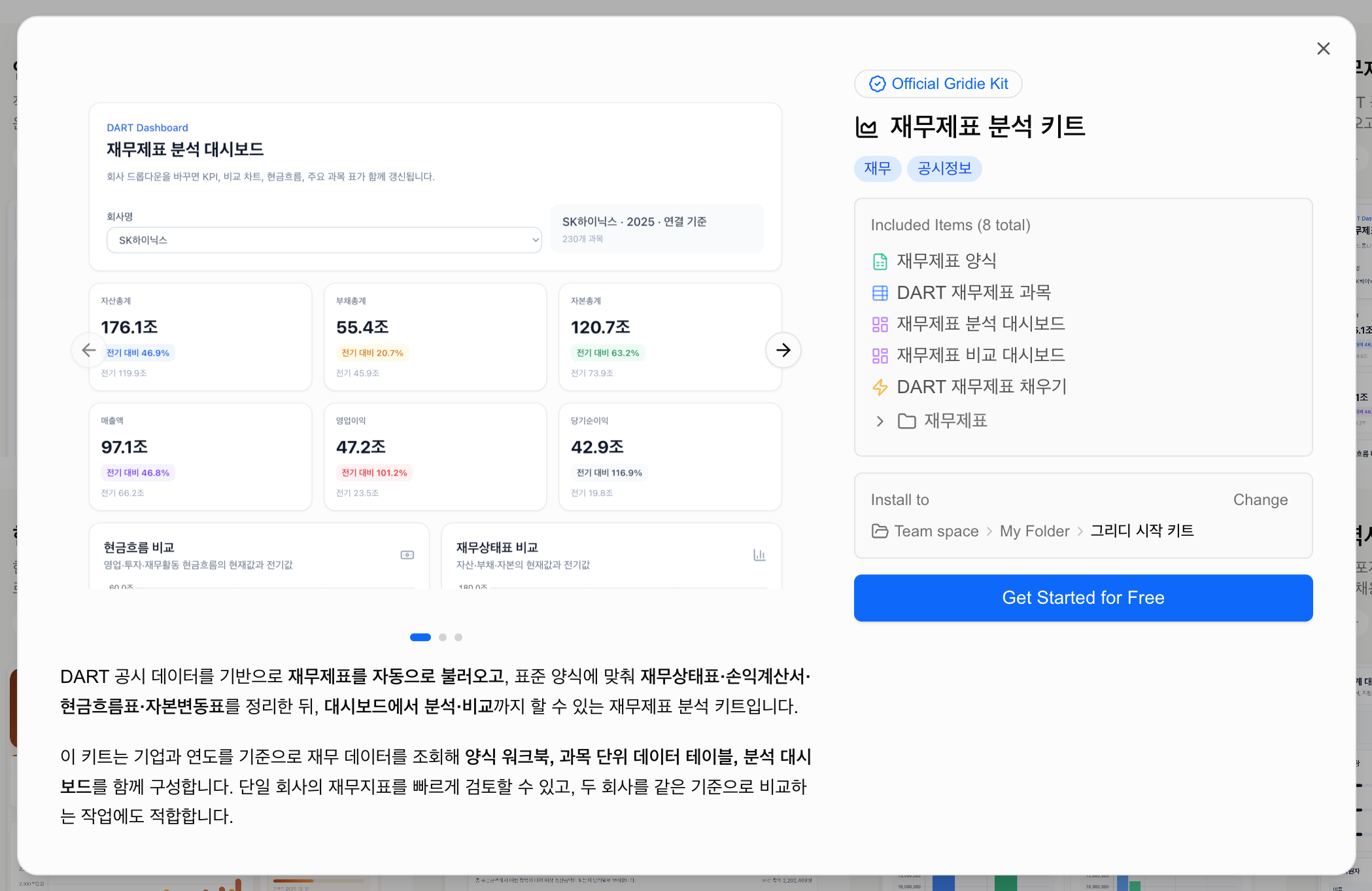
Start Working Right Away
Open the cloned folder and your workbooks, tables, pages, and workflows are ready to go, so you can pick up your work immediately.
Some kits are for subscribers only, so importing one may require an active subscription.
Creating a Kit
Publish a folder you use often as a kit to reuse the same setup repeatedly or share it with others. Use Create Kit from the folder menu and enter details such as a name, description, tags, and thumbnail. You can also choose whether to include table data — bundling it lets whoever imports the kit start right away with example data.
From Templates and Playbooks to Kits
Kits replace the older template (saving a single workbook’s structure) and playbook (procedure guides) concepts. A template held only one workbook, whereas a kit bundles an entire folder along with its workbooks, tables, pages, and workflows, cloning a fully working environment as is. Anything you used to do with a template, you now do with a kit.